AR Shopping Platform
Photogrammetry-based AR for a furniture shopping experience.
- Year
- 2021
- Role
- UX Designer
- Tags
- AR/VRUIUX design3D ReconstructionHCI
See the actual object in your actual room before you buy.
Online resale platforms drown in returns because buyers can't understand the product or trust the seller. ShopAR is a photogrammetry-based AR selling platform: it gives buyers a real understanding of each object, builds a community of trust, and makes AR product creation easy enough for any seller.
See the actual object in your actual room before you buy.
Online resale platforms drown in returns because buyers can't understand the product or trust the seller. ShopAR is a photogrammetry-based AR selling platform: it gives buyers a real understanding of each object, builds a community of trust, and makes AR product creation easy enough for any seller.

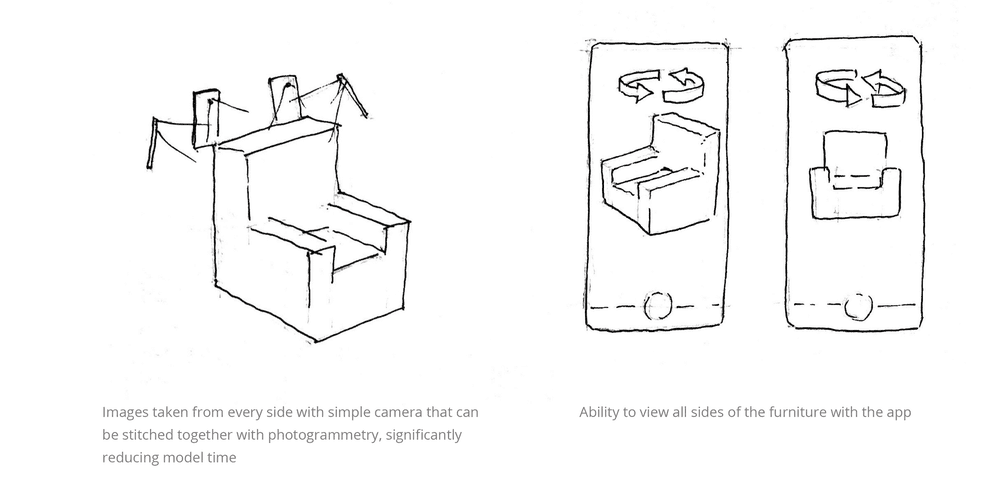
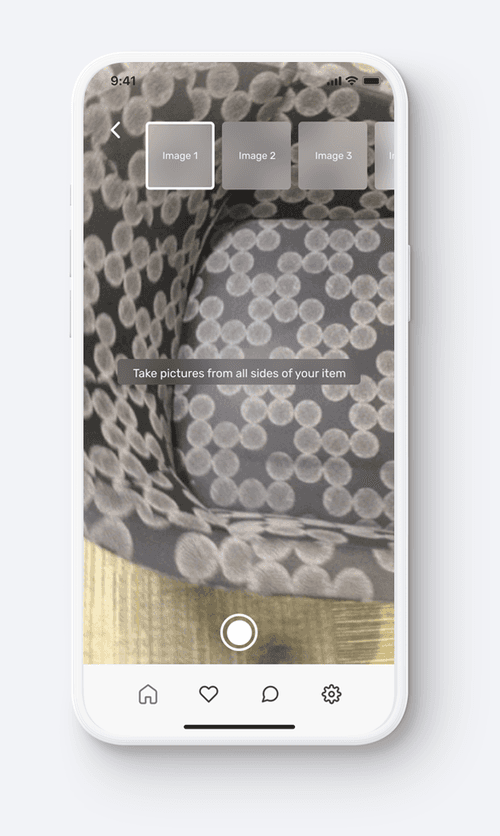
The concept moves AR creation to the user. The seller photographs the object from every side, and photogrammetry matches feature points across the images and stitches them into a 3D object with textures already mapped. The buyer sees all sides of the real item, not a studio render.
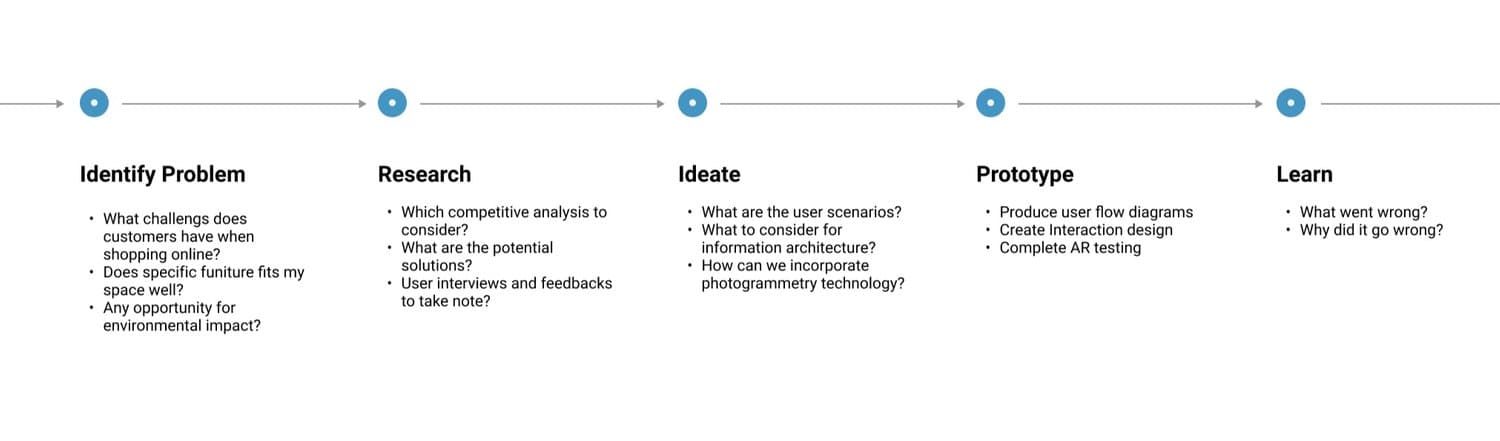
The work ran on a five-step loop: identify the problem, research the market and its users, ideate around what AR could actually fix, prototype, and learn from testing. Each step carried its own questions, from what makes online furniture shopping hard to what to put in front of users in AR.
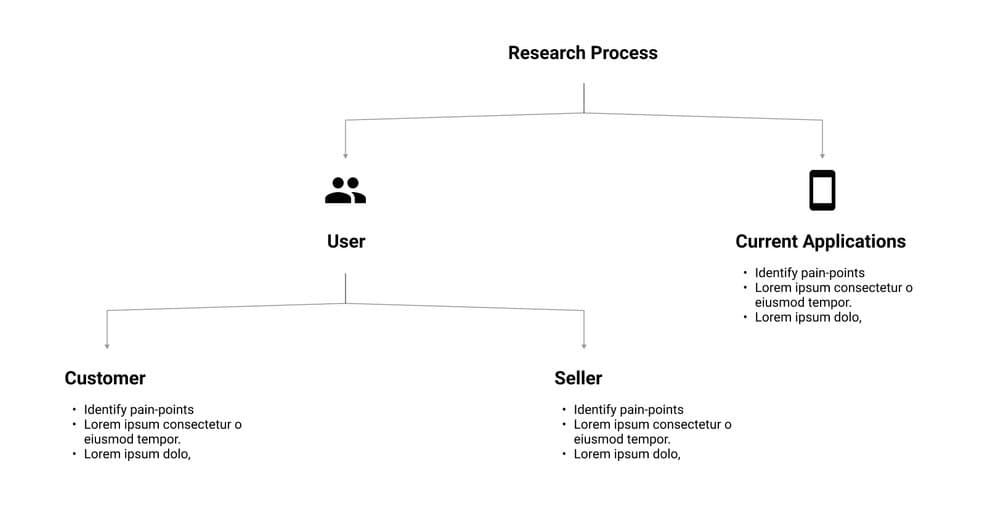
Research split into parallel streams: the two sides of the marketplace, customer and seller, and the current applications they already use. Every stream chased the same thing, the pain points worth designing against.
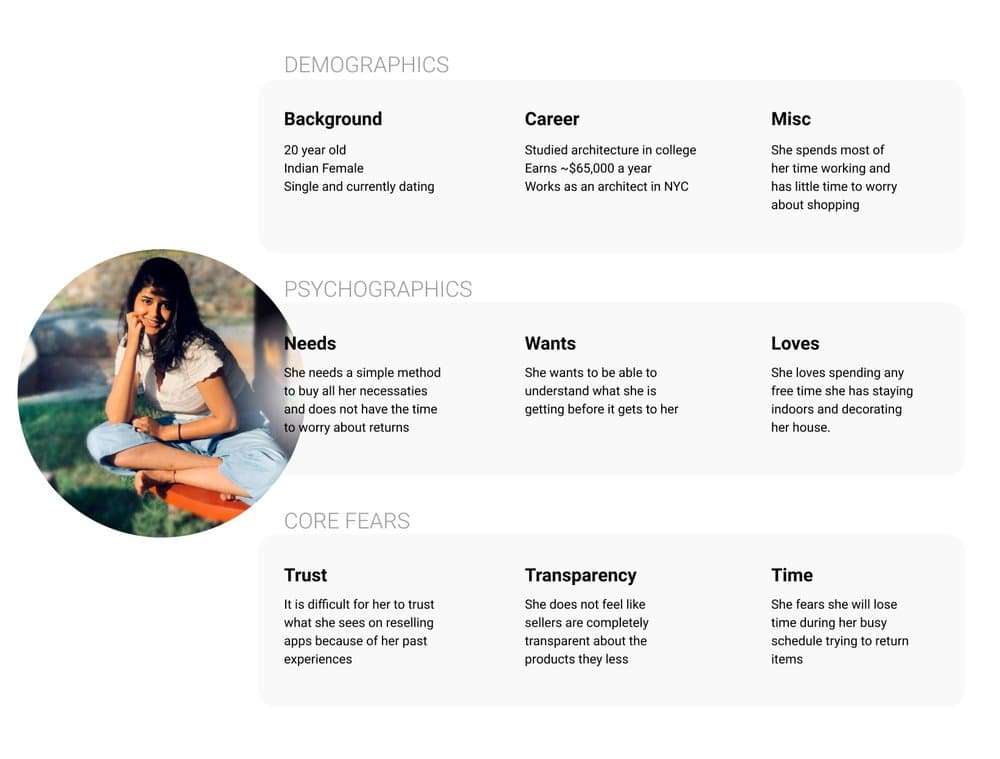
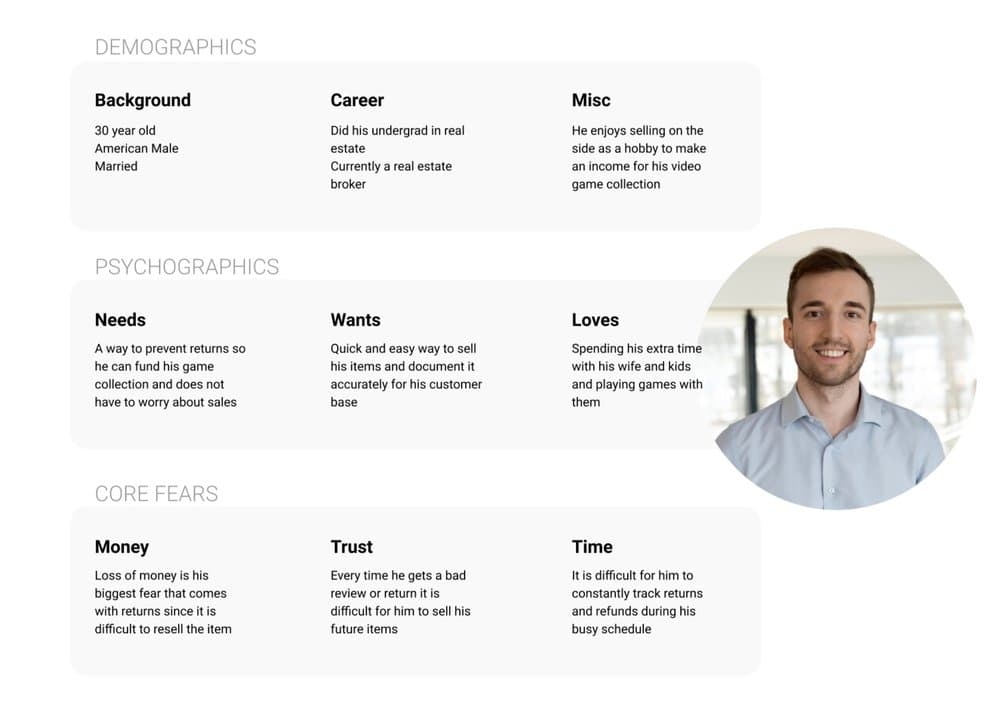
The platform is two-sided, so the research built two personas. Kathleen, the seller, loses money on every return and has no infrastructure beyond photos to show what she sells. Joseph, the buyer, can't see hidden defects, can't judge size, and can't tell how an object will look outside a white-background listing.
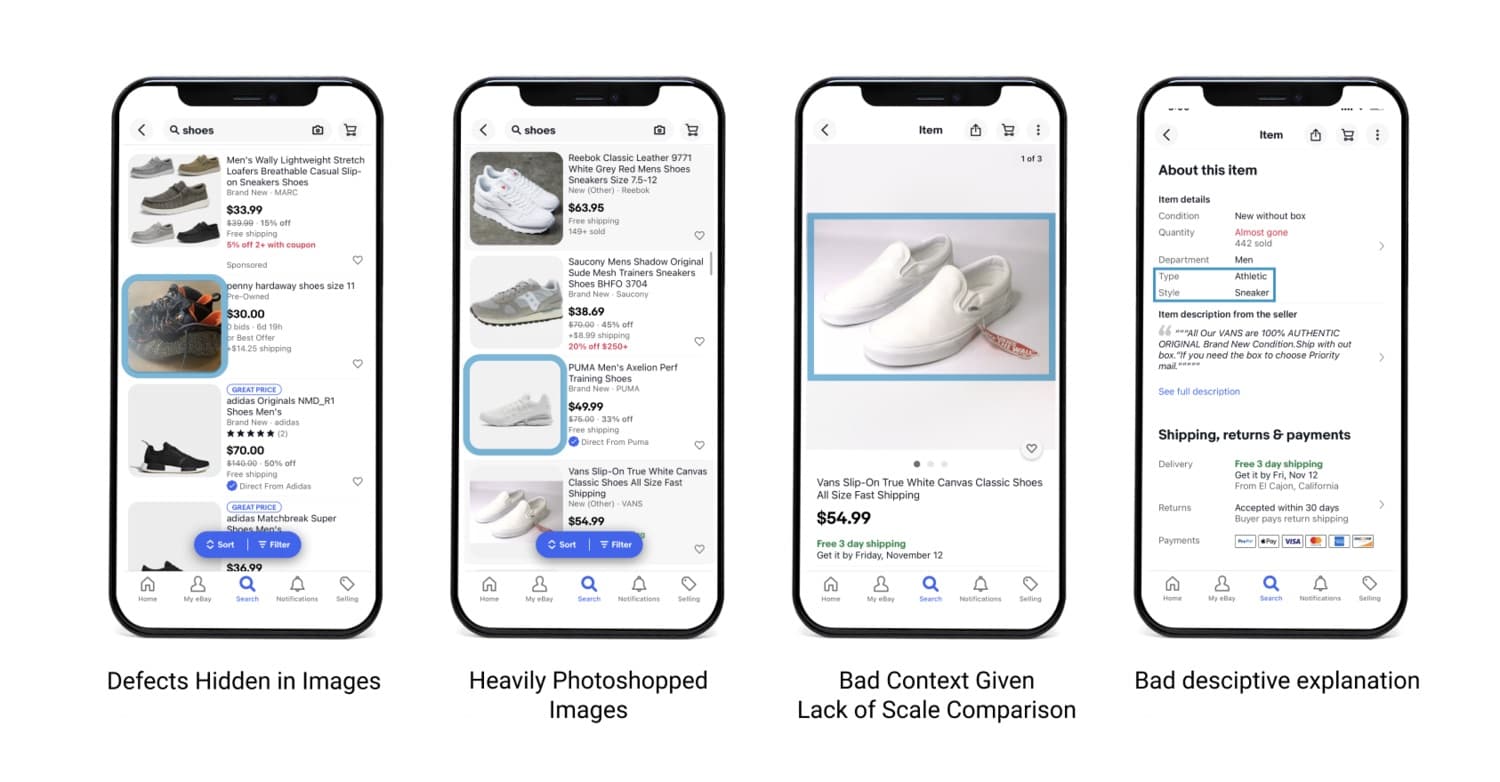
Auditing current resale apps showed how their design makes the problem worse: angle-picked photos hide damage, white backgrounds strip context, and returns get complicated when a third-party seller is involved. Both sides stop trusting the app.
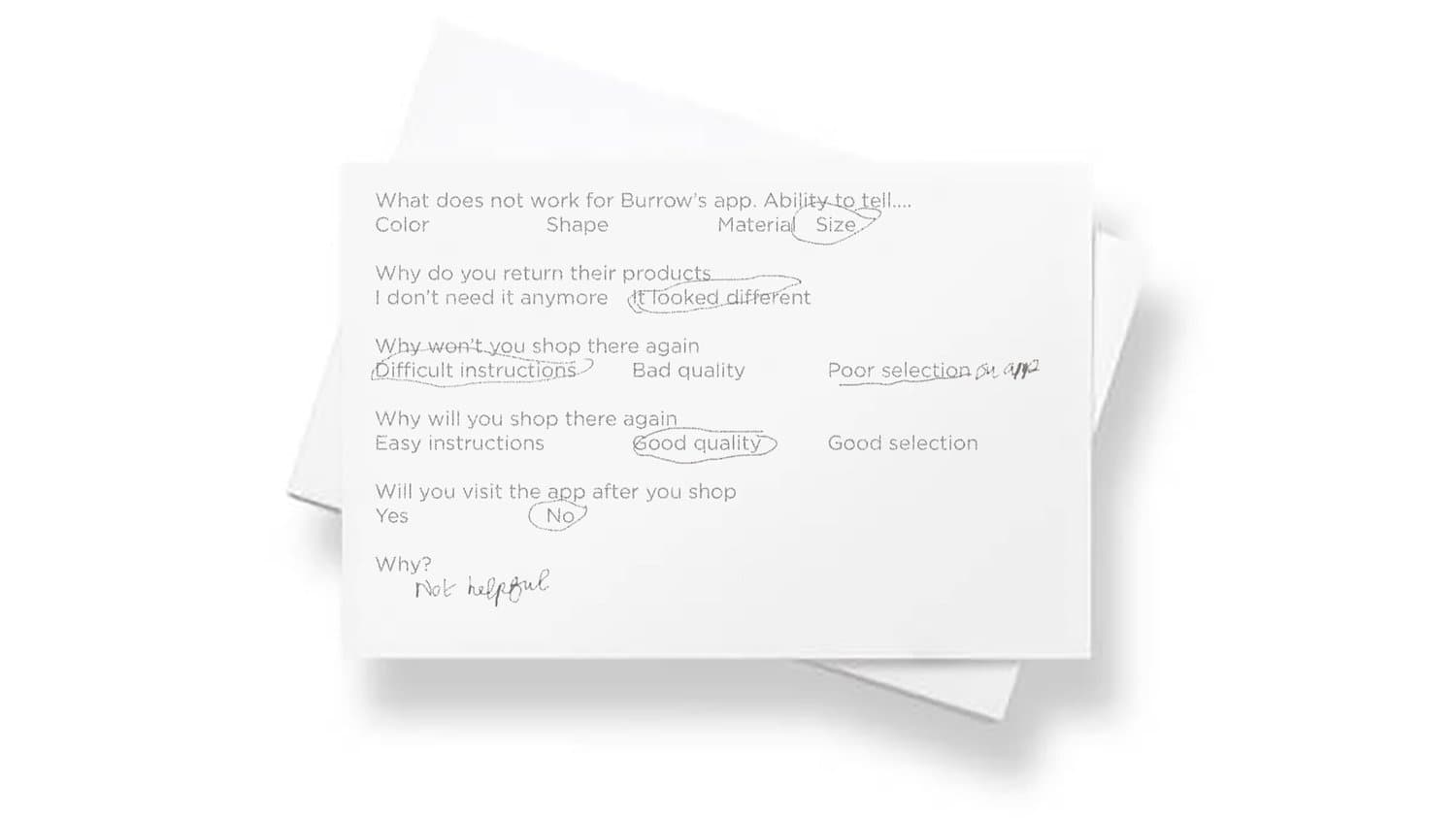
Interviews and surveys pushed on specifics: what buyers can't judge from a listing, color, shape, material, and size, why they return items, and why they wouldn't shop somewhere again. The answers kept circling back to trust and product understanding.
Journey maps for selling and buying tied each pain point to a specific step in the process, from taking listing photos to handling the return.
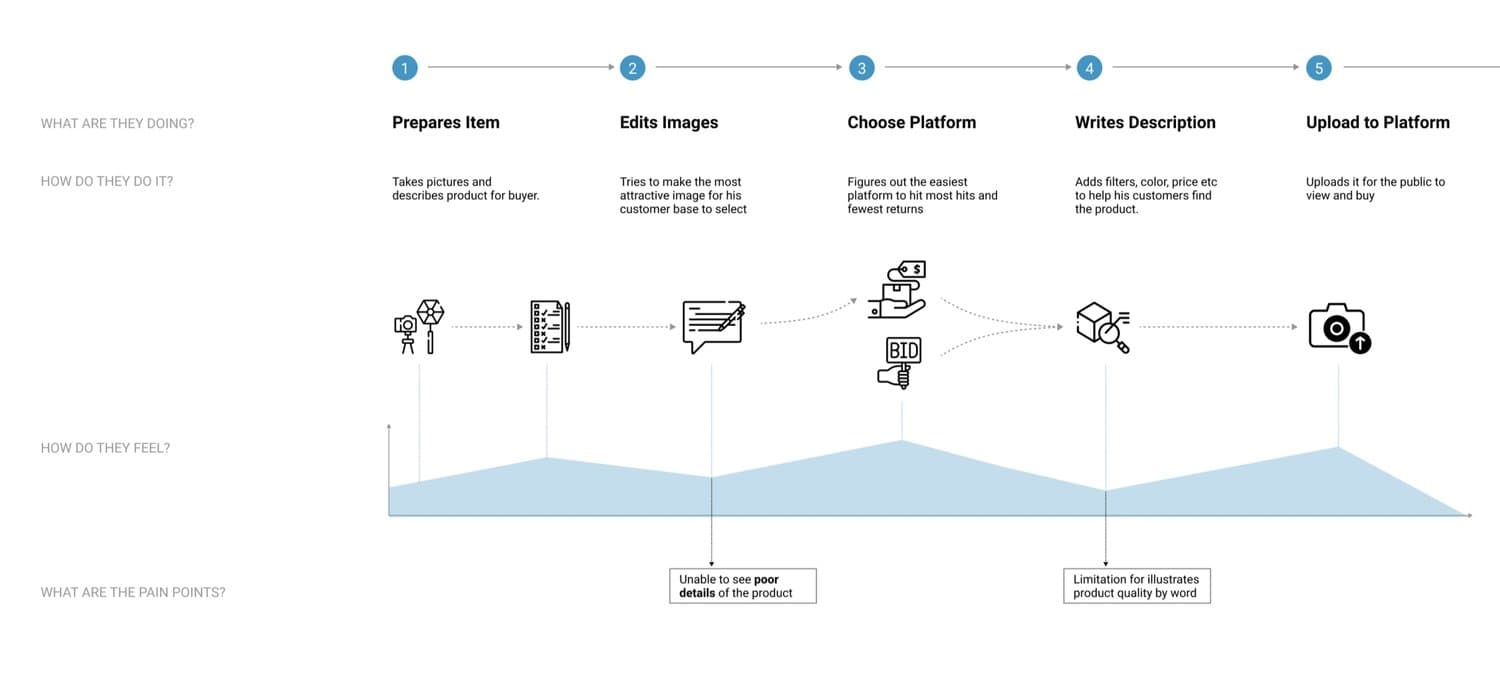
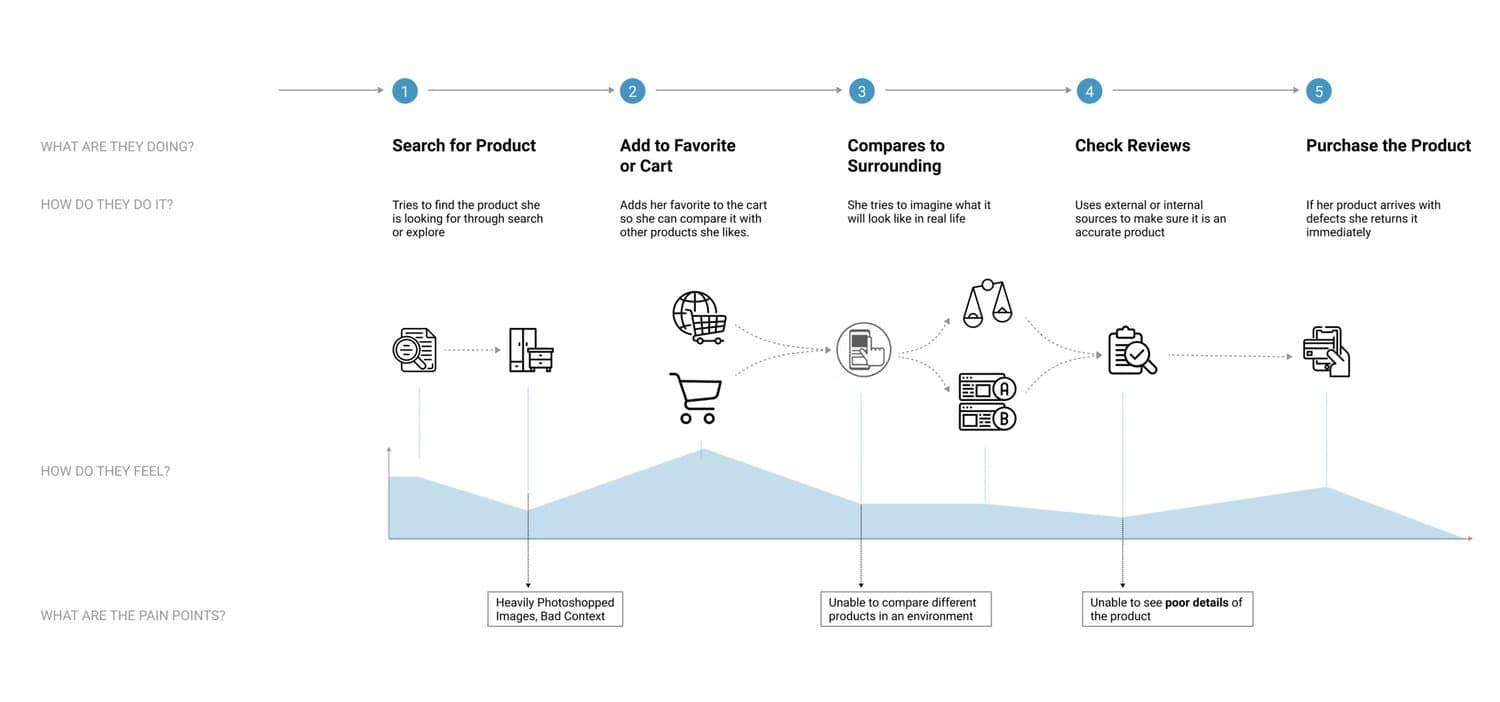
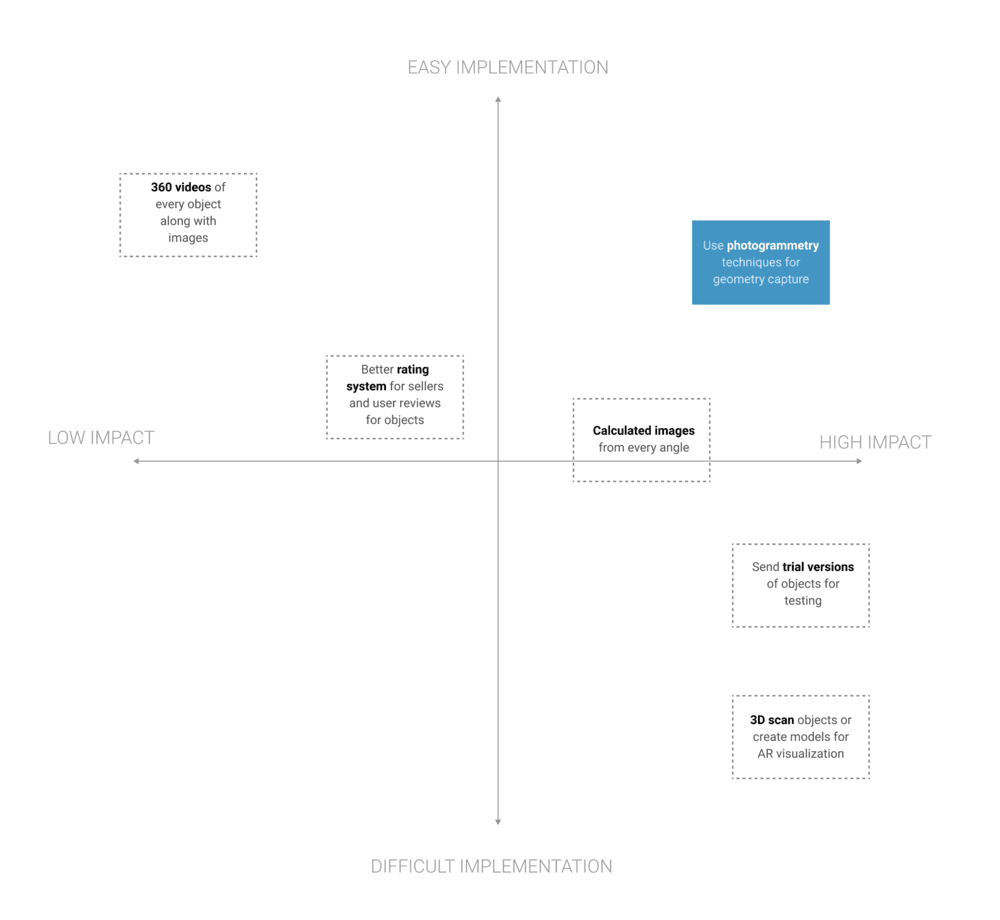
On the cost-impact matrix, augmented reality stood out: the one intervention that accurately represents objects in context without new hardware on either side.
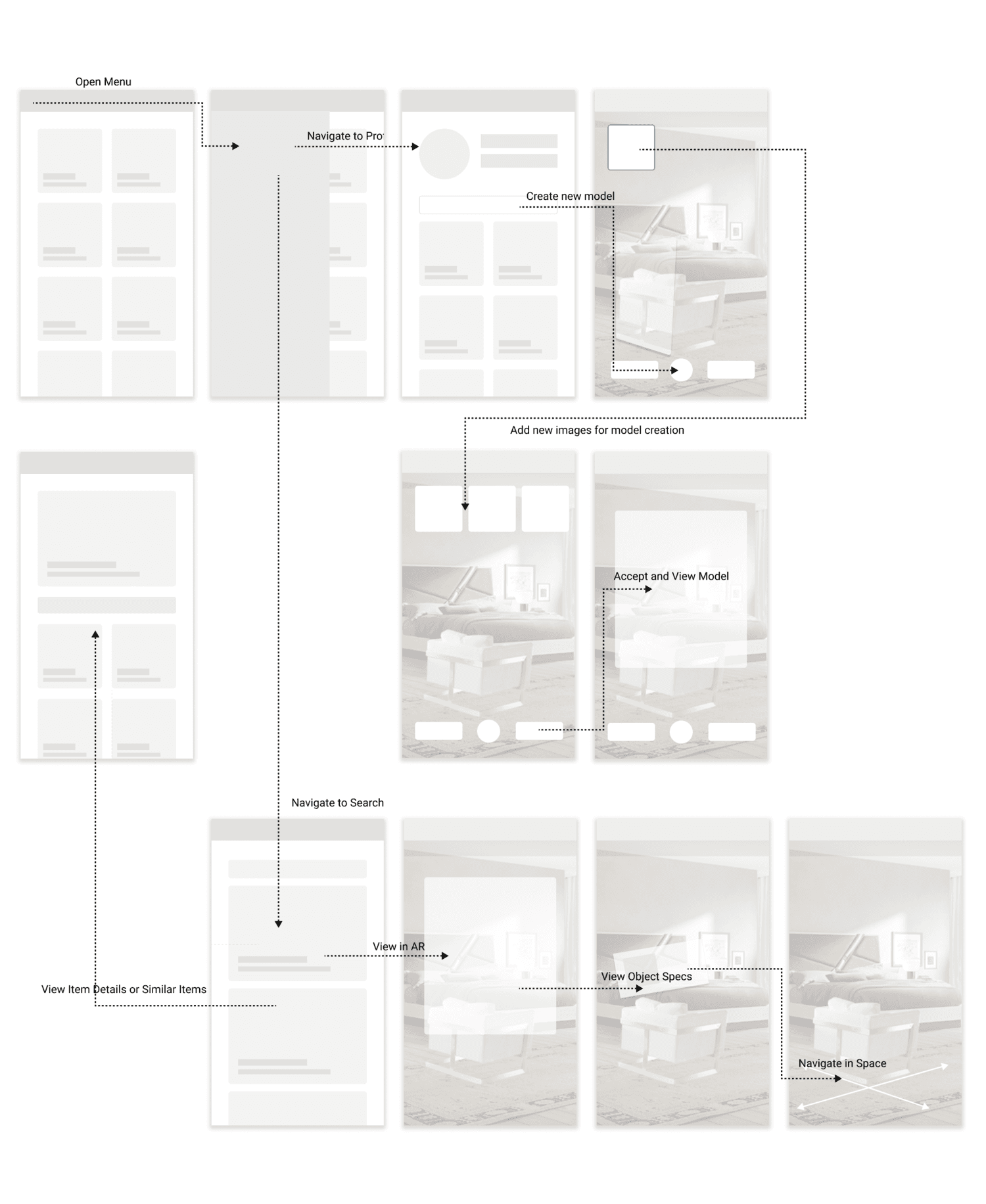
Mapping both end-users against the photogrammetry pipeline set the app's two core flows. The seller creates a model, checks it, confirms its features, and posts it; the buyer searches, filters, places the object in AR, and checks out. Each step answers a specific pain point from the research.


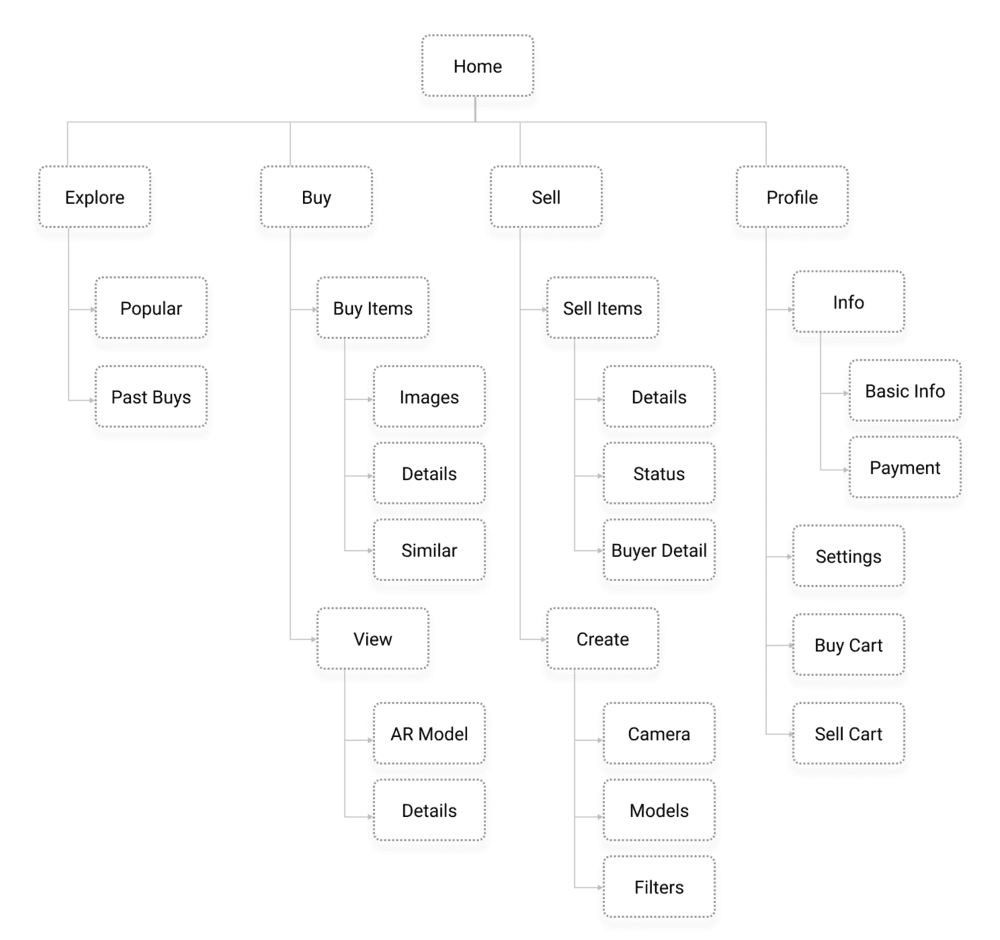
Those flows resolved into one information architecture spanning both sides of the marketplace.
Early wireframes laid out the flows: browse, inspect, capture, and place.
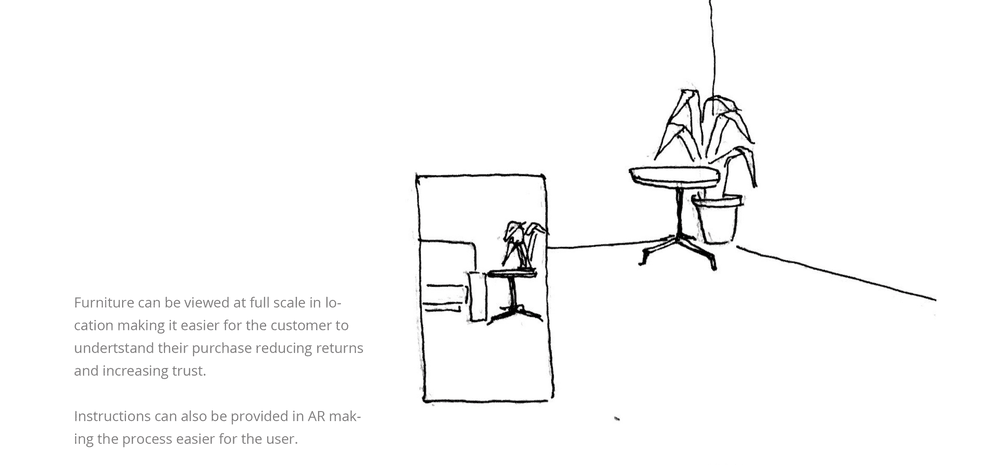


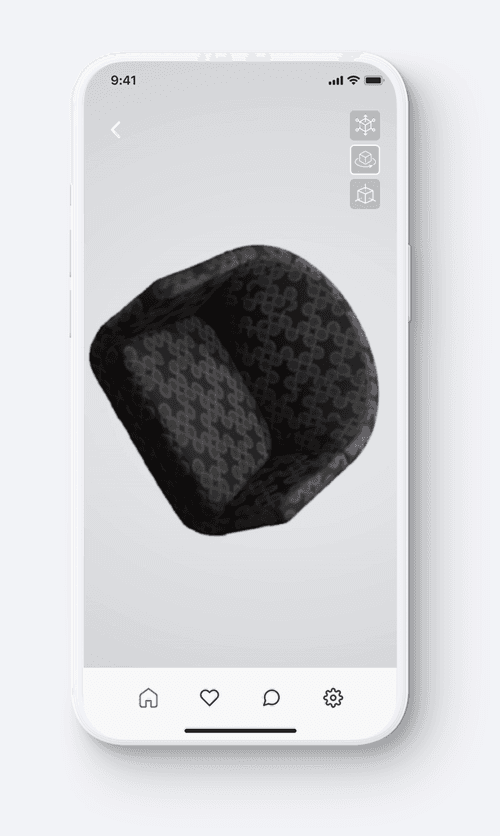
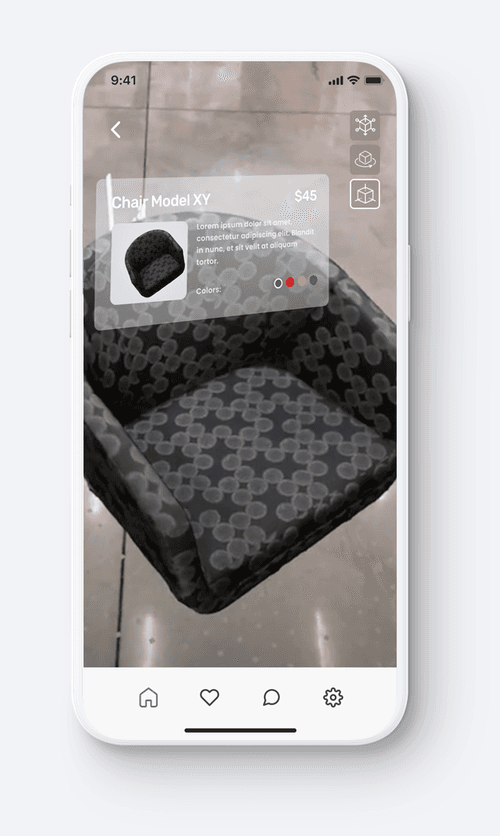
Early tests put the photogrammetry pipeline in front of the camera: a scanned object first renders as a rotating 3D model, then drops into a real room at full scale to check how it reads in context.
High-fidelity version 1 introduced the community page: users upload their own rooms and furniture in AR, which gives people a reason to come back to the platform.

Version 2 tightened the shopping core: each item carries a detail view with the product's story before you take it into AR. For sellers, a simple instruction-and-feedback loop walks them around the object, so capturing a photogrammetry model feels like taking a few photos.

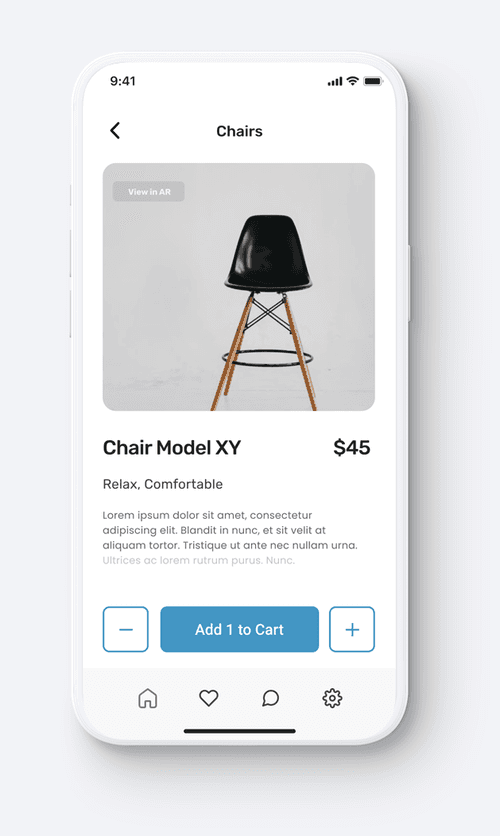
Buyers inspect the finished model from every angle, then place it in their room at full scale. The AR view carries accurate materials, and accurate damage, because it comes from real photos, and surfaces the product's details right in the scene. Open questions for the next pass: specular objects, baked-in lighting, and closing the mesh under the object.
Credits
- Team
- Kenny Kim, Aishwarya Sreenivas, Joseph Wu
- Duration
- November 2021 (1 month)